Overview
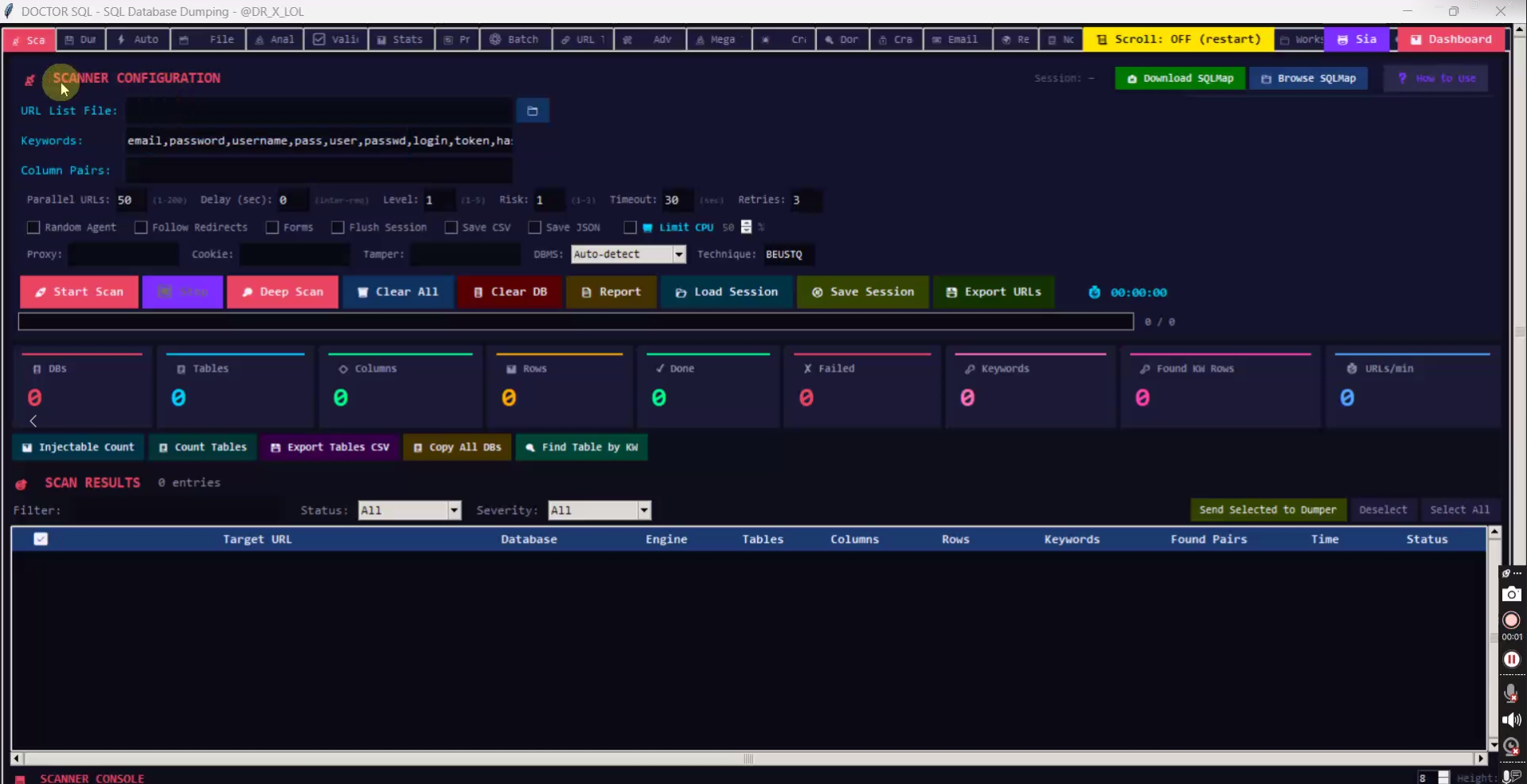
Doctor SQL is a Windows desktop frontend that drives SQLMap through a graphical scanner instead of a command line. You feed it a list of target URLs, it works through them in parallel, and the results land in a sortable table you can filter by status and severity.
Everything SQLMap normally needs flags for — level, risk, delay, tamper scripts, technique, DBMS — is exposed as a control in the configuration panel.
Scanner configuration
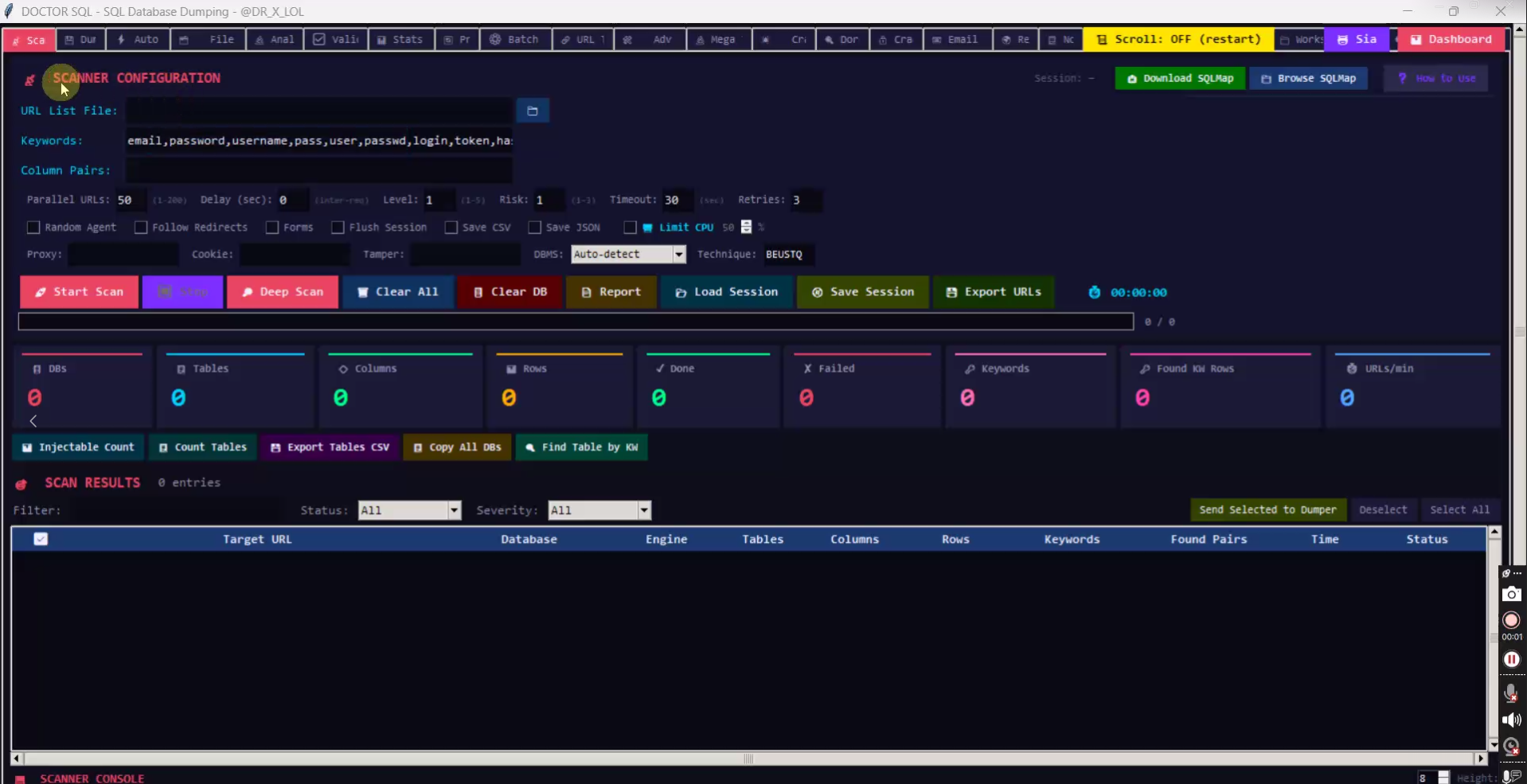
The top panel holds the whole scan configuration in one screen:
- URL List File — load targets from a file, or use the folder button to browse for it.
- Keywords — a default list ships preloaded (email, password, username, pass, user, passwd, login, token) so dumped tables can be scored for useful rows.
- Column Pairs — narrow extraction to specific column combinations.
- Parallel URLs 1–200, plus Delay, Level 1–5, Risk 1–3, Timeout and Retries.
- Toggles — Random Agent, Follow Redirects, Forms, Flush Session, Save CSV, Save JSON, Limit CPU.
- Proxy / Cookie / Tamper fields, DBMS auto-detect, and a Technique selector (BEUSTQ).
Scan control
Start Scan launches a run; Deep Scan escalates the level against targets that came back clean. Clear All and Clear DB reset the queue and results, and Report generates output from what has been found so far.
Sessions are resumable: Save Session and Load Session keep a long scan alive between restarts, and Export URLs dumps the current queue.
Live counters
Nine live tiles show the state of a run: databases, tables, columns and rows discovered, done versus failed targets, keyword hits, matched rows and current URLs per minute. Injectable Count totals the vulnerable targets, and Count Tables rescan only the tables.
Found data can be pulled out without leaving the app: Export Tables CSV, Copy All DBs to the clipboard, or Find Table by KW to locate a table by the keywords you care about.
Results table
- Columns for target URL, database, engine, tables, columns, rows, keywords, found pairs, time and status.
- Filter by status and severity, then Send Selected to Dumper to hand only the interesting targets to the next stage.
- Select All and Deselect for bulk handling.
- A built-in Scanner Console pane at the bottom streams the underlying SQLMap output.
SQLMap integration
The app does not bundle SQLMap. The toolbar has Download SQLMap and Browse SQLmap buttons so you point it at an existing local installation once, plus a How to use link. Install SQLMap before your first scan or the tool has nothing to run.
Requirements
- Windows desktop application
- A local SQLMap installation (Python)
- A proxy list and a wordlist of query parameters for anything beyond a small target set