Overview
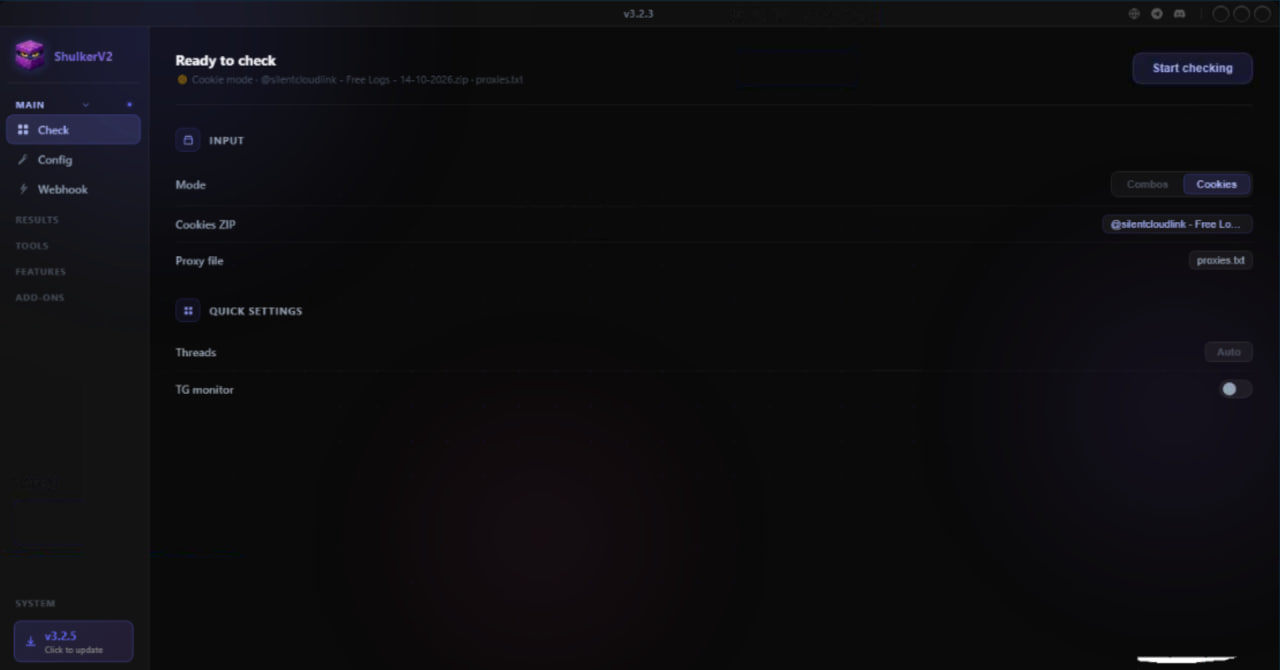
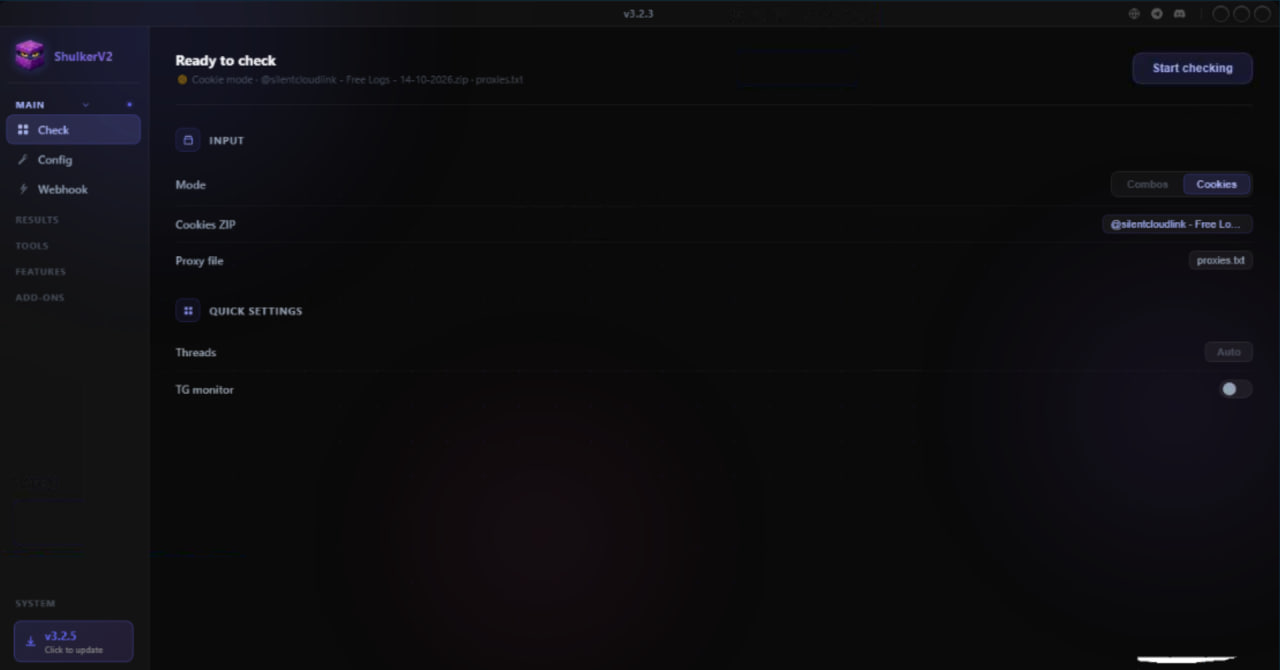
ShulkerV2 is a cookie and combo checker built around a single setup screen. Everything a run needs — the input file, the mode, the proxy list and the thread count — sits on one page above a single Start checking button, so there is no multi-step wizard to click through before you can begin.
The interface is dark, flat and deliberately sparse: one input block, one quick-settings block, and a status line at the top telling you exactly what is loaded.
Ready-to-check panel
The header summarises the pending run before you commit to it, so a misconfigured job is visible immediately:
- Ready to check — the current state of the configuration.
- Mode — whether the session is set up for cookies or combos.
- Input source — the exact archive name and the proxy file in use, e.g.
Free Logs - 14-10-2026.zip · proxies.txt. - Start checking — one button launches the run.
Input
- Mode — switch between Combos (email:password lists) and Cookies (exported session archives). The rest of the form changes to match.
- Cookies ZIP — load a compressed archive of cookie files directly, with no extraction step.
- Proxy file — a plain text proxy list, one per line.
Quick settings
- Threads — set to Auto by default, which sizes concurrency to the machine and the proxy pool instead of making you guess.
- TG monitor — optional Telegram bot notifications, so a long run reports hits to your phone instead of making you watch the screen.
Workspace
- Check — the main run screen.
- Config — full settings, for anything the quick panel does not expose.
- Webhook — send results to an external endpoint as they arrive.
- Results — saved output, kept separate from the live run.
- Tools, Features and Add-ons — extra processing and optional modules.
Updates
The system panel in the sidebar shows the installed build and, when a newer release exists, a Click to update prompt with the new version number — so you are not left hunting for a download page to stay current.
Interface notes
- Grouped left sidebar: MAIN, RESULTS, TOOLS, FEATURES, ADD-ONS, with a SYSTEM panel pinned to the bottom.
- Version shown in the top bar and in the sidebar system card.
- Settings, refresh and notification icons in the top-right corner.
Requirements
- Windows
- A proxy list for any real volume — the run is only as fast as the pool behind it
- Cookie archives or combo files in the supported formats
- Internet connection